This guide helps Xiaomi, Redmi, and Poco users reduce background restrictions so Floramis Walk can sync steps more reliably.
Open your phone's Settings.
Find Apps and select Floramis Walk.
You should land on the app's App info page.
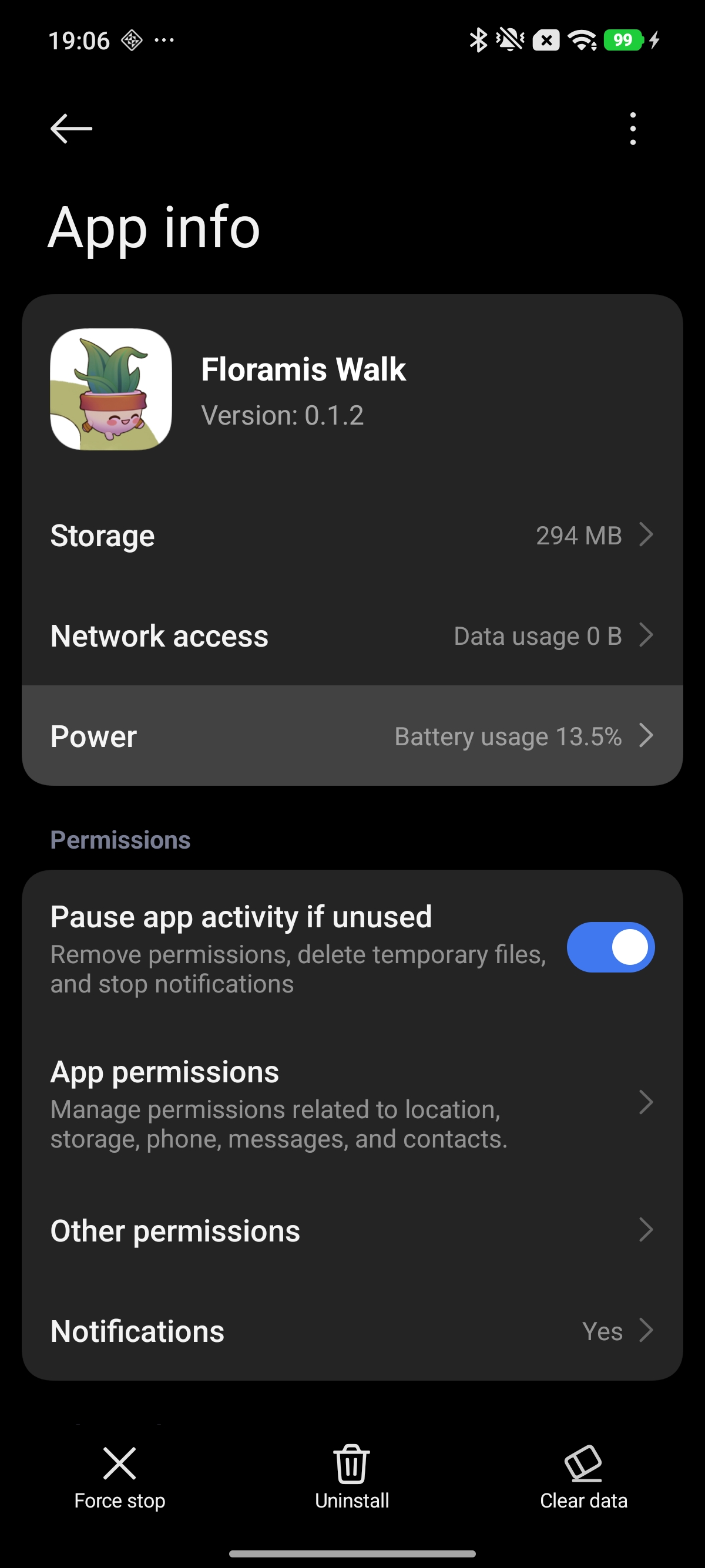
Inside App info, tap Battery saver or Battery usage.
If you do not see it immediately, look for battery-related options within the app settings page.
Select No restrictions.
Confirm any prompt shown by MIUI or HyperOS.
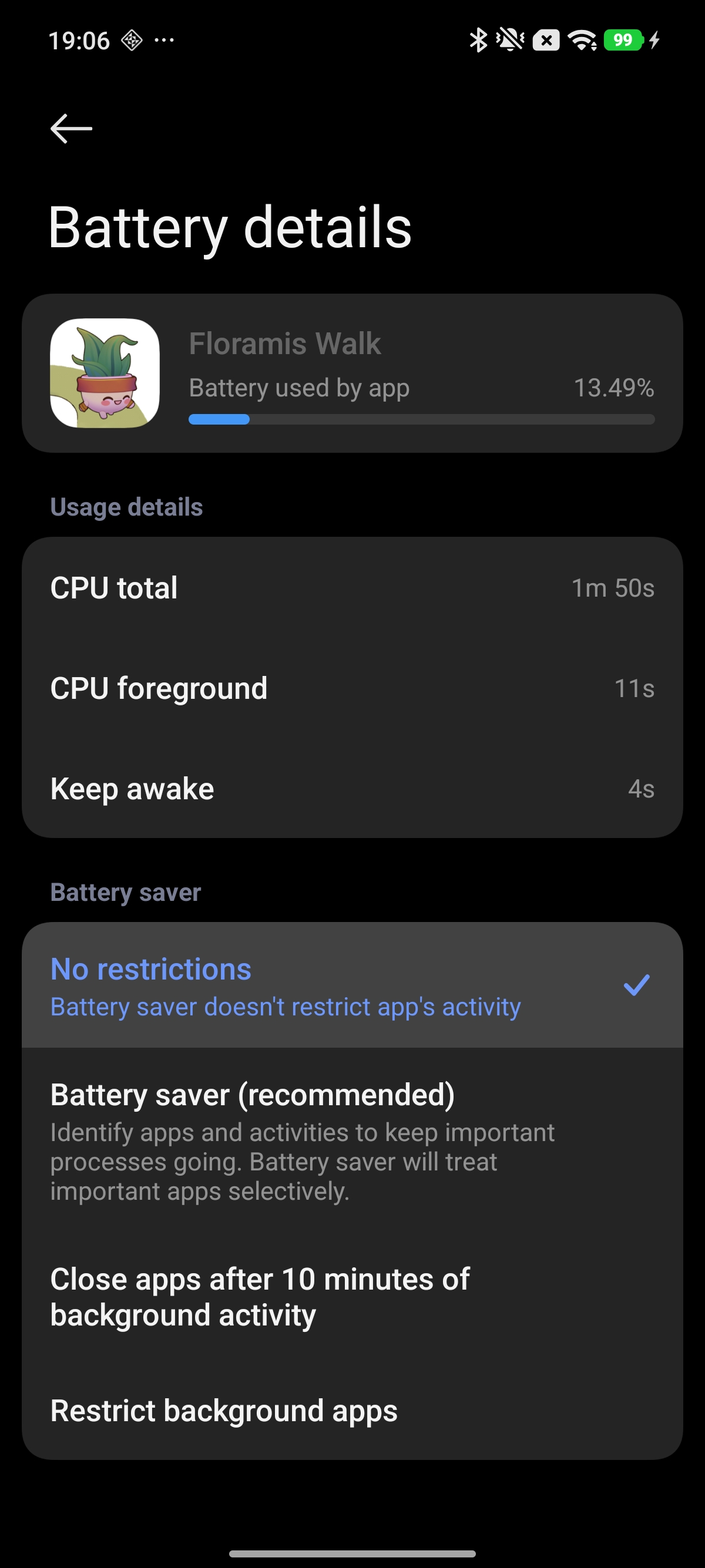
Xiaomi changes settings layouts across MIUI, HyperOS, Android version, and region. If you are not taken directly to Battery saver, start from App info and look for the battery section there.
Once Floramis Walk is set to No restrictions, background step syncing should behave more reliably on Xiaomi-like devices.
If you need help, contact us at support@floramis.com.